Official Mongoose Traveller 2nd Edition Character Sheet On Roll20 Is Live!

This may be due to me having the roll20 game setup for a while. Character sheet setup in ship mode. Adding items to Ships locker..drag and drop to it does not seem to be working. Perhaps something I need to refresh or update.
 
Hi Valkyrie,

Hmmm, sorry to hear that, I’ll check it in a little while and get back to you.

Can you give me an example of the item you attempted to drag in, and if possible any messages/errors you see in the browser console …

Regards,
~ C ~
 
Hi Valkyrie,

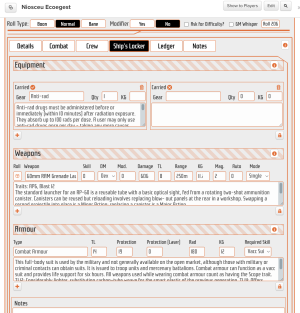
Just jumped into my test game, created a character and dropped some items into Ship's Locker...

It seems to be working for me in general so it is possible the items you've tried may have attribute issues...

I just grabbed a random one of each of Equipment, Weapons and Armour...

If you drop the wrong category onto a drop target, e.g. Armour onto Equipment it should give you an error message in-sheet...

As I say, any further info of the items that failed and browser console messages will be useful for diagnosis...

Regards,

~ Coryphon ~

Screenshot 2026-01-17 at 18.34.01.png
 
Hi Valkyrie,

Hmmm, sorry to hear that, I’ll check it in a little while and get back to you.

Can you give me an example of the item you attempted to drag in, and if possible any messages/errors you see in the browser console …

Regards,
~ C ~
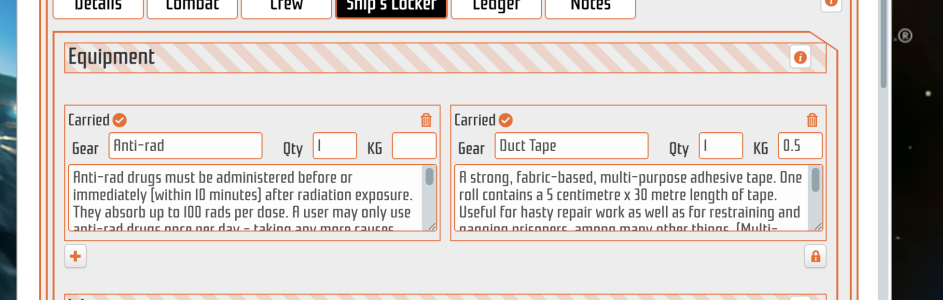
Survival kits, Duct tape for example
 
Hi Valkyrie,

Just jumped into my test game, created a character and dropped some items into Ship's Locker...

It seems to be working for me in general so it is possible the items you've tried may have attribute issues...

I just grabbed a random one of each of Equipment, Weapons and Armour...

If you drop the wrong category onto a drop target, e.g. Armour onto Equipment it should give you an error message in-sheet...

As I say, any further info of the items that failed and browser console messages will be useful for diagnosis...

Regards,

~ Coryphon ~

View attachment 7223
I will try resharing content and a new sheet and see if anything changes.
 
I was, the issue seemed to be PC specific. i think there must be something running on my laptop that must be interfering with it. Works perfecting fine on my desktop machine.
 
So everything is working smooth on the sheets. I wish I had a way to add drag and drop custom items but I know that is a limitation of Roll20 today. Other than that I need a TAS restaurant map :-)
 
So everything is working smooth on the sheets. I wish I had a way to add drag and drop custom items but I know that is a limitation of Roll20 today. Other than that I need a TAS restaurant map :-)
Haha,

Glad things are looking good, couple of minor fixes are in progress, expanding the Robot sheet to allow Characteristics so e.g. manipulators can actually be rolled, and stuff like STR, DEX, Luck etc. can be added for robot player characters..

Also, turned out that a LOT of Central Supply Catalogue items were misnamed on drag'n'drop, e.g. 'Grav Belt-Basic' was just showing up as 'Basic', so fixed up all of those...

I've heard the Retro Diner is very popular... :unsure:;)

Regards,
~ Coryphon ~
 
Back
Top