The Great Apple PDF Update

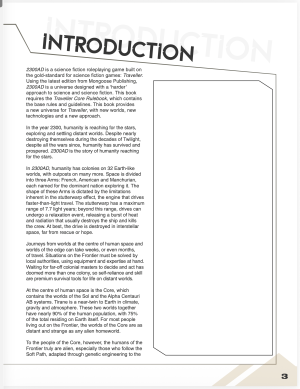
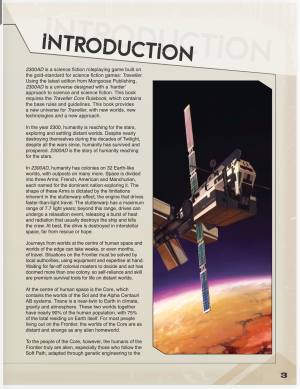
Still some problems with the 2300AD Core Books in the 2300adnov21.zip file in my Mongoose site library. Book 1 is especially bad, with multiple missing images - the other two books have fewer issues
Same here. I just got 2300AD and book 1 and 3 have multiple missing images and the page background is white. Book 2 I get the proper page background. Haven’t looked beyond that.
 
I ordered an Apple Neo, to replace the Samsung tablets, so I would be somewhat perturbed if the Traveller ebooks didn't display as intended.
On the Neo, install either PDF Pro or PDF Viewer by Nutrient.


Both of those use a different PDF rendering engine (PSPdfKit) instead of Apple's built in PDF rendering engine (PDFKit), and these PDFs will render properly.
 
The real culprit here is Apple. I've repeatedly opened a support ticket with Apple about this. I just opened another one today.

That being said, Mongoose is the only RPG publisher that I currently have issues with. And they clearly can work around the issue by rerendering the PDFs. And I applaud them for their effort they did on "The Great PDF Update." They did a lot of work to work around an Apple bug.

I'm going to continue to bug Apple about this, because they need to fix this.

But Mongoose redoing the PDFs is going to be way faster than Apple fixing the bugs.

I'll be more than happy to test any files if Mongoose wants, since I am "all Apple," so I can test Mac, iPad and iPhone for them.
 
Thanks, but I'm on a waiting list.

Apparently, there are/were only five copies of each colour for the lower capacity, for the entire country.

I've managed to avoid Apple's clutches for two decades, but the Neo is a helluva of bargain, especially considering the current RAMpocalypse.
 
Hey everyone,

We are currently in the process of going through all our past PDFs and updating them so they display properly on Apple devices. There is rather a lot of them (!), but we will be steadily working through every PDF with this problem. We will update this post as new ones are added on both our website and DrivethruRPG, listing all the revisions. Simply re-download and you will be…
Naming conventions and would be a great thing to stabilize. With multiple versions I think it’s super important and useful.
 
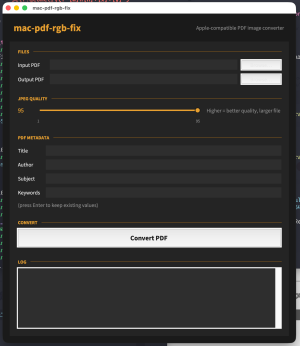
Ok, I threw up my script on Github if anyone needs to fix a PDF that doesn't open properly display on Apple devices.


I tested this on the 2300AD rulebooks and they open just fine now on my Apple devices.
 
Ok, version 2 is up. I think this ends the script. If you have any Mongoose PDFs that don't display properly on Apple devices, report it to Mongoose, and then use this script until Mongoose issues new PDFs.

This isn't just for Mongoose PDFs. if you have any PDF that has blank images, there's a good chance this script will "fix" the PDF.
 
I’ve never once had a problem with these in my apple products. I’m not sure why others are having these problems I use these PDFs all the time I just open them in Books. Of course I always download with Crome.
 
I’ve never once had a problem with these in my apple products. I’m not sure why others are having these problems I use these PDFs all the time I just open them in Books. Of course I always download with Crome.
So, right now you can open the 2300AD boxed set Books 1 and 3 on Books on your iPad without issue?
 
Could you re-download the rules and try them again? I wonder if there was something done in an update to the files that caused a regression.

Also, did you get your PDFs DriveThruRPG or Mongoose?
 
Could you re-download the rules and try them again? I wonder if there was something done in an update to the files that caused a regression.

Also, did you get your PDFs DriveThruRPG or Mongoose?
No problem downloading again. I got them in a bundle of holding so neither Drivethru or mongoose but I do have a version also from drivethru and no problem with that either.
 
Back
Top