
Terry Mixon
Emperor Mongoose
Another one.
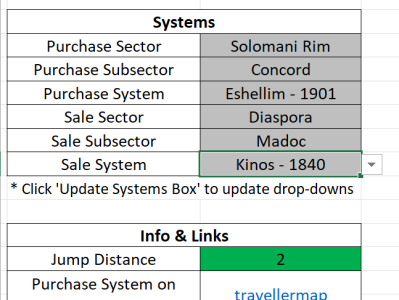
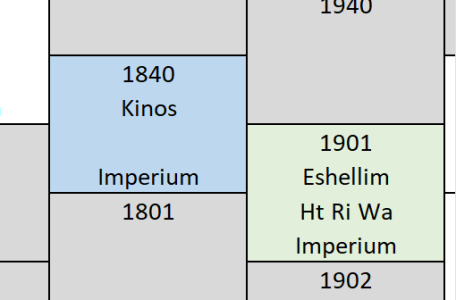

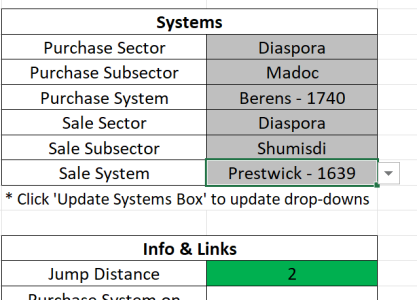
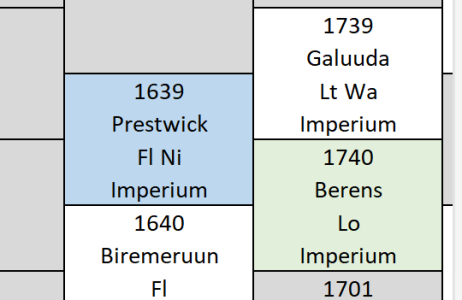
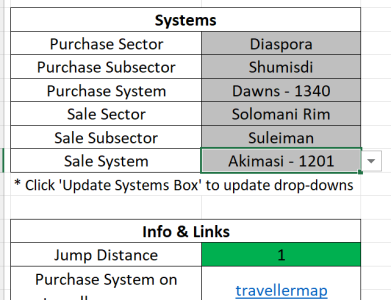
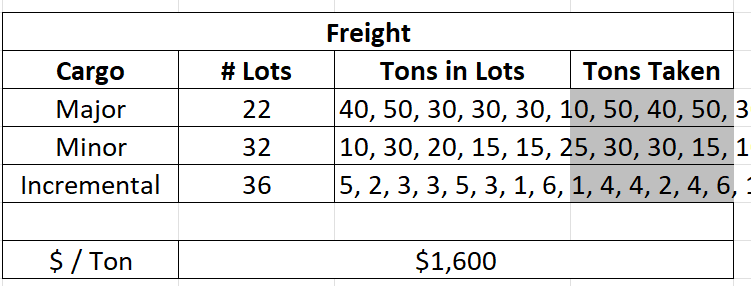
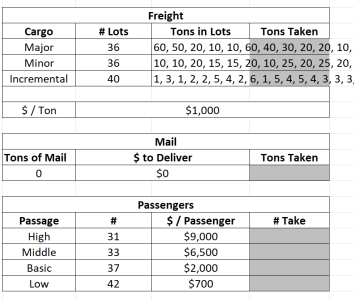
In fact, all three of these might benefit from the third and fourth columns being switched.I'll be giving this a test drive soon, but I want to suggest a minor tweak. The freight section on the Purchases tab has the Tons in Lots section overrunning the input area of the Tons Taken area. Perhaps swap them around?
View attachment 6585

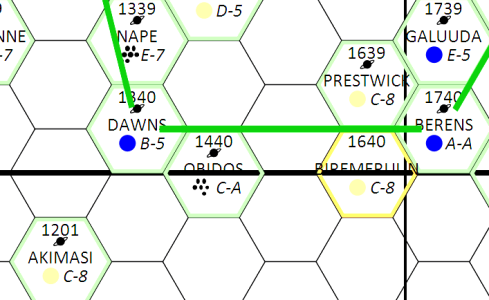
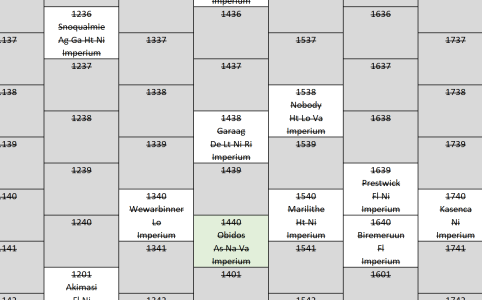

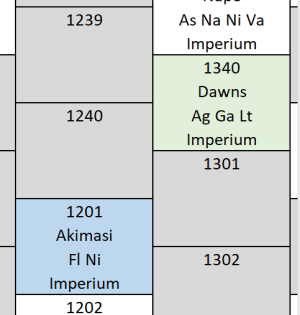
It's been more than a month, so I thought I would poke this to see if you have any insight into this and maybe a fix for it somewhere in the pipeline. I appreciate the sheet, but Diaspora is unusable this way. It has the correct data listed for the systems, but the map in the sheet doesn't reflect that. I'd wager there are other sectors with the same issue that the fix for this could correct. Help!Found a second phantom system. Nobody isn't in the Diaspora Sector. Neither is Wawarbinner. However, it looks like ICA, Nape, and Mana are, though they don't show on the map. There are a lot of discrepancies and that's only on the course I selected. Diaspora has some real issues. I'm stopping my testing as I can't be sure what is really there.
View attachment 6701View attachment 6702
Understood. Thanks. As long as the right systems show up as selectable, that would workSorry, no. I haven't had any time to work on it. In the meantime, I would recommend using travellermap.com as the source for your map. There is a link to that site in cell C35 on the 'Input' tab. It opens directly to the purchase system you have selected.
If I continue having difficulties, I may end up just removing the Excel map. The purpose of the file is to automate the trading process presented in the core rules. This it does (as far as I can tell). The Excel map is nice to have; however, it is not necessary to achieve the goal of the file. We already have an excellent and far better map at travellermap.com. Also, the Excel map has also made the file unstable and has been causing crashes recently, at least on my end. (Although my computer has been having other instability issues, so the file may not be the sole cause of the crashing.) If I figure out how to remove all the bugs, I will keep it; otherwise I may remove it to keep the tool as functional and focused as possible.
Sorry, no. I haven't had any time to work on it. In the meantime, I would recommend using travellermap.com as the source for your map. There is a link to that site in cell C35 on the 'Input' tab. It opens directly to the purchase system you have selected.
If I continue having difficulties, I may end up just removing the Excel map. The purpose of the file is to automate the trading process presented in the core rules. This it does (as far as I can tell). The Excel map is nice to have; however, it is not necessary to achieve the goal of the file. We already have an excellent and far better map at travellermap.com. Also, the Excel map has also made the file unstable and has been causing crashes recently, at least on my end. (Although my computer has been having other instability issues, so the file may not be the sole cause of the crashing.) If I figure out how to remove all the bugs, I will keep it; otherwise I may remove it to keep the tool as functional and focused as possible.
Agreed. I can bring up @CthulhuStig's Auto-Jimmy's Compare Worlds feature and see which make more sense to go to for certain (or all) cargoes. If the sheet doesn't have the map going forward, I will manage.The map is a fun little tool though.
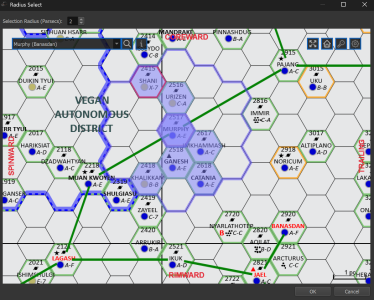
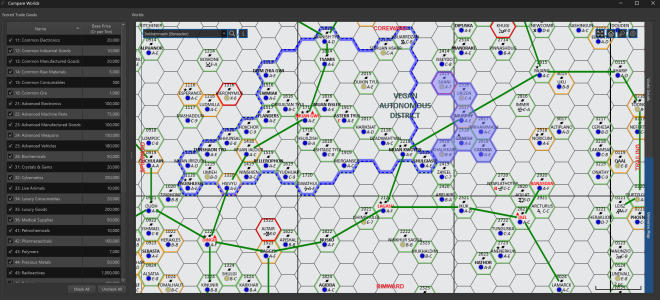
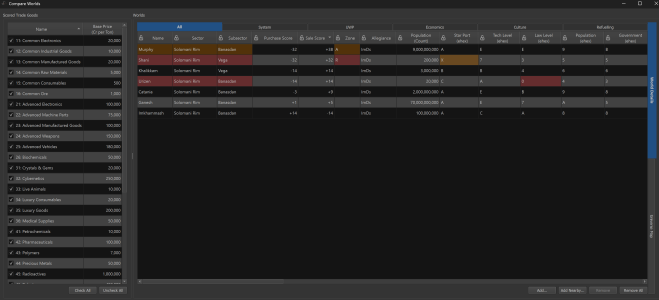
That's kind of fun. Where is that tool to be found?Agreed. I can bring up @CthulhuStig's Auto-Jimmy's Compare Worlds feature and see which make more sense to go to for certain (or all) cargoes. If the sheet doesn't have the map going forward, I will manage.
View attachment 7004View attachment 7003
Here on this very forum.That's kind of fun. Where is that tool to be found?

Thanks!Here on this very forum.
I thought it was about time I got my ass in gear and pulled together another release of Auto-Jimmy. Not many new features this time around, most of my time since the last release has been spent reworking existing code to allow for some of the future features I have planned.
Release Highlights:
- X-Boat Routing
- The jump route planner can now plot paths that follow X-Boat routes between systems
- X-Boat (Strict) will find the shortest-time route while following the official point-to-point X-Boat routes between systems
- X-Boat (Loose) will find the shortest-time route but can...
- CthulhuStig
- Replies: 20
- Forum: Traveller
My pleasure.Thanks!
Thanks! I’ll give it a test drive tomorrow.I had an inspiration this morning! Try this. Here is v1.5. The major changes are as follows:
Hopefully that helps.
- Added code using arrays to generate lists of values for various tables of system info. This avoids the use of formulas which take much longer to calculate. The system box and map codes should be much faster now.
- Updated map to get info from list of data for local subsectors, rather than the entire data set. This should clean up errors of systems showing in the wrong place on the map.
- The local subsectors are the subsector for the purchase system, and all adjacent subsectors.
- The map uses hex ID as the basis for the look-up.
- Hex IDs only repeat every four subsectors and the list only covers two adjacent subsectors. So there should be no duplicate hexes in the list of systems for local subsectors.



