CthulhuStig
Banded Mongoose
I thought it was about time I got my ass in gear and pulled together another release of Auto-Jimmy. Not many new features this time around, most of my time since the last release has been spent reworking existing code to allow for some of the future features I have planned.
Release Highlights:
If you're planning to use the Windows installer, I should warn you that it’s not digitally signed (as that costs money). This means your browser may warn you that it’s not a frequently downloaded program and/or make you confirm that you want to download it. Also, when you run the installer, Windows will almost certainly warn you that it’s an unknown app and make you jump through some hoops to install it.
If you've previously cloned the Auto-Jimmy repo or downloaded the source from GitHub, you may need to re-run the command to have pip install requirements.txt. Details on how to do this can be found in the installation instructions in the Auto-Jimmy README.
Project Links:
Source Code and Docs: https://github.com/cthulhustig/autojimmy
Windows Installer: https://github.com/cthulhustig/autojimmy/releases
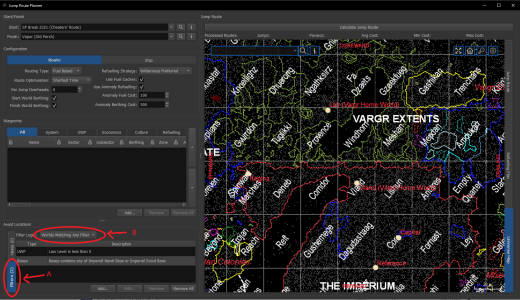
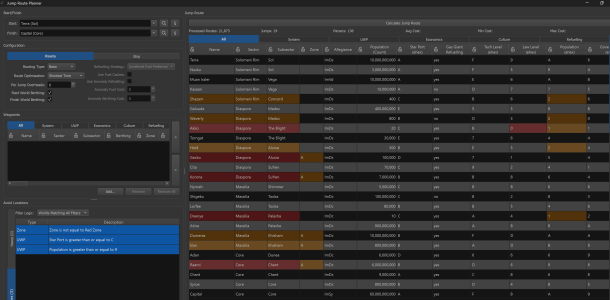
Screenshots: https://github.com/cthulhustig/autojimmy/blob/main/docs/screenshots.md
Known Issues: https://github.com/cthulhustig/autojimmy/blob/main/docs/known_issues.md
Release Highlights:
- X-Boat Routing
- The jump route planner can now plot paths that follow X-Boat routes between systems
- X-Boat (Strict) will find the shortest-time route while following the official point-to-point X-Boat routes between systems
- X-Boat (Loose) will find the shortest-time route but can skip nodes in the X-Boat network if the ship jump rating allows
- Both algorithms will revert to routing through non-X-Boat systems if no X-Boat path is possible
- Can be selected from Route Optimisation drop down
- Jump Route Import/Export
- Jump routes and associated logistics data can now be exported & imported
- Accessed from context menu displayed when right-clicking on the map
- Table Export
- Tables can now be exported to CSV, HTML or bitmap
- Accessed from context menu displayed when right-clicking on a table
If you're planning to use the Windows installer, I should warn you that it’s not digitally signed (as that costs money). This means your browser may warn you that it’s not a frequently downloaded program and/or make you confirm that you want to download it. Also, when you run the installer, Windows will almost certainly warn you that it’s an unknown app and make you jump through some hoops to install it.
If you've previously cloned the Auto-Jimmy repo or downloaded the source from GitHub, you may need to re-run the command to have pip install requirements.txt. Details on how to do this can be found in the installation instructions in the Auto-Jimmy README.
Project Links:
Source Code and Docs: https://github.com/cthulhustig/autojimmy
Windows Installer: https://github.com/cthulhustig/autojimmy/releases
Screenshots: https://github.com/cthulhustig/autojimmy/blob/main/docs/screenshots.md
Known Issues: https://github.com/cthulhustig/autojimmy/blob/main/docs/known_issues.md

 .
.