Another System Generator: As Above So Below

v0.7.3 dropped this afternoon.
1. **Mongoose Socioeconomic:** Fixed bug that did not check if Ix, Cx, or Ex could be inherited
2. **Mongoose System Expand:** Fixed bug that did not make use of T5 Stellar information and PBG
3. **Import Sector .tsv:** Fixed bug that did not capture Worlds value
4. **Generate Xboat:** Added user options on range and jump distances
5. **Import Imperium:** Added the option to bulk import Imperial Sectors

To import the Imperium open the Settings button on the right and find the button down in the bottom. Then you can decide which sectors you want to import and which location you want them.

The default is all good to go to bring them all in, so just press Submit if you would like to try it out.

I am guessing the limits of what you can create or do without your browser choking is based on your memory. So everyone may have a different experience.

View attachment 7912

Reminder this is a free program that is still in development and it will change and/or produce unexpected results.

If you are doing any serious work I recommend you SAVE JSON often! I have lost a bunch of work by accidentally refreshing my browser.

Try it yourself here:
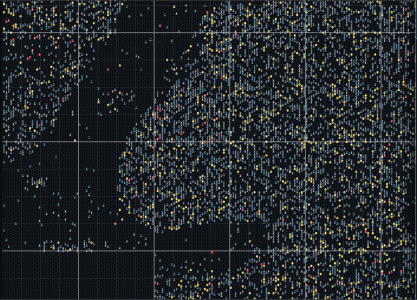
It's beautiful... It took around 40 seconds for it to load for me, but I have oodles of memory. ;)

1776015000178.png
 
I only included Imperium Sectors. To be honest I wasn't sure how well any of it would work with so many systems in so I focused on the Imperium.

If the feedback is it is fine I can always add the others. Of course there is nothing stopping people from adding in Sectors manually if they want that portion now.
 
I only included Imperium Sectors. To be honest I wasn't sure how well any of it would work with so many systems in so I focused on the Imperium.

If the feedback is it is fine I can always add the others. Of course there is nothing stopping people from adding in Sectors manually if they want that portion now.
I figured with the Aslan Hierate book coming out shortly, at least that corner needs love, and only two are missing on the other side. If it says load the universe, it should load the universe. ;)

I have 64 gigabytes of memory, so other people may have slower results or have issues, I know. I look forward to hearing how other people have this work for them.
 
I figured with the Aslan Hierate book coming out shortly, at least that corner needs love, and only two are missing on the other side. If it says load the universe, it should load the universe. ;)

I have 64 gigabytes of memory, so other people may have slower results or have issues, I know. I look forward to hearing how other people have this work for them.
Ha! Though I was very specific on my language:
1776016084877.png

BTW @Terry Mixon I had an idea.

Your jump route filters are similar to what got me started on a lot of this, though my filters are different the idea is the same: Pick systems based on criteria and link up the ones that are within a certain range.

So I am working on an automated jump generator. The Xboat one right now focuses on Ix. But if instead we had it focus on whatever we filtered, we could automate the entire process and then allow for the user to make manual calibrations.

Does this sound like it might work for you?
 
Ha! Though I was very specific on my language:
View attachment 7917

BTW @Terry Mixon I had an idea.

Your jump route filters are similar to what got me started on a lot of this, though my filters are different the idea is the same: Pick systems based on criteria and link up the ones that are within a certain range.

So I am working on an automated jump generator. The Xboat one right now focuses on Ix. But if instead we had it focus on whatever we filtered, we could automate the entire process and then allow for the user to make manual calibrations.

Does this sound like it might work for you?
It sounds awesome! With the liner (and a trader) there needs to be a focus on how far the ship can jump. Passengers and freight pay more the further you take them.

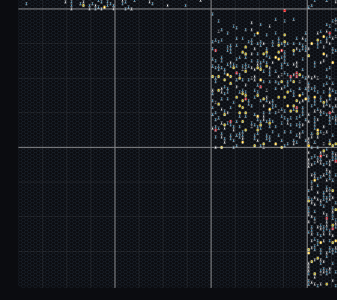
I added the missing sectors and that spawned a comment and a question. The comment is that I can't make it zoom out enough to see everything the map covers. It goes so far and stops before showing the whole critter.

The question is, how do we (if we can) expand the canvas to add sectors outside the predefined area?
 
It sounds awesome! With the liner (and a trader) there needs to be a focus on how far the ship can jump. Passengers and freight pay more the further you take them.

I added the missing sectors and that spawned a comment and a question. The comment is that I can't make it zoom out enough to see everything the map covers. It goes so far and stops before showing the whole critter.

The question is, how do we (if we can) expand the canvas to add sectors outside the predefined area?
On the canvas:

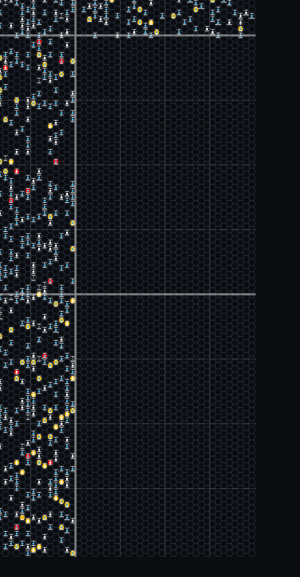
At the moment you can't, but I will add that option for the fearless. I don't mind pushing the boundaries if you are OK that it might not work.

Every software choice has pros and cons. The pros of my design choice is no one has to download and install my program, and since it works in memory it is fast. The downside is there is no database or storage option in the background feeding drips of information as needed, or backing up your work as you go.

So I put artificial limits in, thinking, "this should work for most people". I can open those limits up, but it will be a caveat emptor situation for those that do use them. Eventually someone is going to deep in work when their browser freezes and they will lose everything. I just want them (you) to know it is a risk (though I hear you have oodles of memory).

My thinking was people would likely only ever work on a few sectors at a time. It never occurred to me someone might want the entire OTU. But now I understand what you are doing I can see the need.

Next update will have a special option to increase the canvas for those who dare.

On the routes:

This is how I was going to handle it.

1) You filter your selected worlds (certain Ix, WTN, population or any combination thereof)
2) You tell the jump function what J-drive to use.
3) You tell the jump function was range to look for.

So, for example, let's say we use a Jump-4, Range-12 situation. The function would do this:
a) Looks at the first world filtered. Looks for all filtered world within the range (12 hexes in this case). Then plots the quickest J-4 route to those worlds.
b) If there is a situation where there is a filtered world between the two selected worlds, it will drop the connection assuming the in-between world will make the connection to the further one. This prevents a spaghetti group of connections if you have a bunch within a close proximity.
c) Continue this for all filtered worlds
 
On the canvas:

At the moment you can't, but I will add that option for the fearless. I don't mind pushing the boundaries if you are OK that it might not work.

Every software choice has pros and cons. The pros of my design choice is no one has to download and install my program, and since it works in memory it is fast. The downside is there is no database or storage option in the background feeding drips of information as needed, or backing up your work as you go.

So I put artificial limits in, thinking, "this should work for most people". I can open those limits up, but it will be a caveat emptor situation for those that do use them. Eventually someone is going to deep in work when their browser freezes and they will lose everything. I just want them (you) to know it is a risk (though I hear you have oodles of memory).

My thinking was people would likely only ever work on a few sectors at a time. It never occurred to me someone might want the entire OTU. But now I understand what you are doing I can see the need.

Next update will have a special option to increase the canvas for those who dare.

On the routes:

This is how I was going to handle it.

1) You filter your selected worlds (certain Ix, WTN, population or any combination thereof)
2) You tell the jump function what J-drive to use.
3) You tell the jump function was range to look for.

So, for example, let's say we use a Jump-4, Range-12 situation. The function would do this:
a) Looks at the first world filtered. Looks for all filtered world within the range (12 hexes in this case). Then plots the quickest J-4 route to those worlds.
b) If there is a situation where there is a filtered world between the two selected worlds, it will drop the connection assuming the in-between world will make the connection to the further one. This prevents a spaghetti group of connections if you have a bunch within a close proximity.
c) Continue this for all filtered worlds
For pushing the limits,

1776018060007.png
 
On the routes:

This is how I was going to handle it.

1) You filter your selected worlds (certain Ix, WTN, population or any combination thereof)
2) You tell the jump function what J-drive to use.
3) You tell the jump function was range to look for.

So, for example, let's say we use a Jump-4, Range-12 situation. The function would do this:
a) Looks at the first world filtered. Looks for all filtered world within the range (12 hexes in this case). Then plots the quickest J-4 route to those worlds.
b) If there is a situation where there is a filtered world between the two selected worlds, it will drop the connection assuming the in-between world will make the connection to the further one. This prevents a spaghetti group of connections if you have a bunch within a close proximity.
c) Continue this for all filtered worlds
One thing. For a liner, you might know the start and the end. It should take both into account.
 
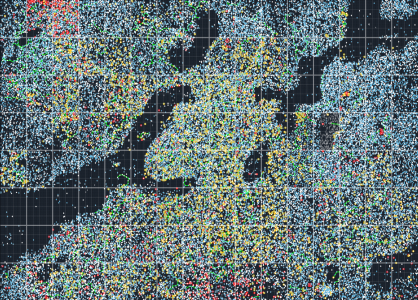
Thought I would share what the entire OTU would look like when imported.

Here is what it looks like with your Foreven. I ran a Generate xboat network across the entire thing and it took a while but it worked.

1776039081349.png

It is sluggish when zoomed out but zips along nicely when zoomed in.

Should drop tomorrow unless I find a new problem.
 
v0.7.4 has been pushed into production.

You can now try to import the entire OTU (not for the feint of heart!)

Some quick notes on Importing the Universe:
1) I have a one second wait time for each sector - so it takes a bit to load everything
2) Make sure to Save the JSON once you load it, so you never have to import it again - just load from your hard drive
3) It will be its most sluggish when zoomed out, and most responsive when zoomed in.
4) It will not work well for older or slower systems. Hell it is too frustrating for me zoomed out and I have 32GB memory.
5) Having all of these sectors loaded at once was not the intention of this program. I do, however, appreciate a challenge. So if you think you would enjoy working like this and have the right system for it, be my guest.

Replacing Foreven:
Want to replace any of these sectors with your own file (like Terry's Foreven)?
1) Mouse over the sector you want to replace (zoom in for smoother and better response results)
2) Press Control + S to select the Sector (you should see it highlighted)
3) Right Click->Populate->Manual Reset Clear (Note the sector # in the Clear Hex; 36 for Foreven)
4) Click the settings gear in the top right and choose Import Sector .tsv
5) Select your file - choose the sector number you noted (#36 for Foreven)

Notes on Size Limits:
1) If you do not ever expand the system generation you can operate large amounts of systems as long as it is not too frustrating to scroll. Your system specs will dictate how many sectors you can use before it is too frustrating to use (zoomed in is always better than zoomed out)

2) If you do want to expand system and socioeconomic information for each system (like I do) you will probably get to a limit of around 8 or 10 sectors before it will crash when you try to save your JSON. I have a number of options I am reviewing to expand this limit, but for now that is where we are. So if you download the Imperium and try to expand every system in every sector you will likely end up frustrated. For now you should be able to work safely with 8 or 10 sectors fully generated without too much of a problem.

Use it here: https://bartlebythecoder.github.io/traveller_magnus/hex_map.html
Full code here: https://github.com/bartlebythecoder/traveller_magnus

 
v0.7.4 has been pushed into production.

You can now try to import the entire OTU (not for the feint of heart!)

Some quick notes on Importing the Universe:
1) I have a one second wait time for each sector - so it takes a bit to load everything
2) Make sure to Save the JSON once you load it, so you never have to import it again - just load from your hard drive
3) It will be its most sluggish when zoomed out, and most responsive when zoomed in.
4) It will not work well for older or slower systems. Hell it is too frustrating for me zoomed out and I have 32GB memory.
5) Having all of these sectors loaded at once was not the intention of this program. I do, however, appreciate a challenge. So if you think you would enjoy working like this and have the right system for it, be my guest.

Replacing Foreven:
Want to replace any of these sectors with your own file (like Terry's Foreven)?
1) Mouse over the sector you want to replace (zoom in for smoother and better response results)
2) Press Control + S to select the Sector (you should see it highlighted)
3) Right Click->Populate->Manual Reset Clear (Note the sector # in the Clear Hex; 36 for Foreven)
4) Click the settings gear in the top right and choose Import Sector .tsv
5) Select your file - choose the sector number you noted (#36 for Foreven)

Notes on Size Limits:
1) If you do not ever expand the system generation you can operate large amounts of systems as long as it is not too frustrating to scroll. Your system specs will dictate how many sectors you can use before it is too frustrating to use (zoomed in is always better than zoomed out)

2) If you do want to expand system and socioeconomic information for each system (like I do) you will probably get to a limit of around 8 or 10 sectors before it will crash when you try to save your JSON. I have a number of options I am reviewing to expand this limit, but for now that is where we are. So if you download the Imperium and try to expand every system in every sector you will likely end up frustrated. For now you should be able to work safely with 8 or 10 sectors fully generated without too much of a problem.

Use it here: https://bartlebythecoder.github.io/traveller_magnus/hex_map.html
Full code here: https://github.com/bartlebythecoder/traveller_magnus
Thanks. I’ll give this a try this evening when I’m back at my computer. I appreciate you giving us the option. I’ll let you know how it works for me.
 
Back
Top